Polywork
Lead Product Designer · Sep 2023 - Present
Skills used: Product design, UI/UX, Branding, User research, Prototyping, Mentoring | URL: polywork.com
Examples: Figma · Mobile Prototype
As Lead Product Designer, I led the design efforts of transitioning from a B2C personal website builder to a B2B A.I.-powered recruiting platform.
A pivot of this size is as much an organizational problem as a design one. We were moving from a product where the user was also the audience, to one where the person paying us and the person being searched for are two completely different people with opposing incentives. Almost nothing carried over cleanly: the information architecture, the value proposition, the onboarding, and the business model all had to be rebuilt while the existing consumer product was still live and still had users depending on it.
I owned design end to end for the new platform and was the connective tissue between research, engineering, and leadership. Practically, that meant turning a large amount of ambiguous input into a concrete product direction, then keeping that direction stable enough for engineering to build against while we were still learning. I also mentored other designers on the team and set the review process we used to keep quality consistent as the surface area grew.
Design System
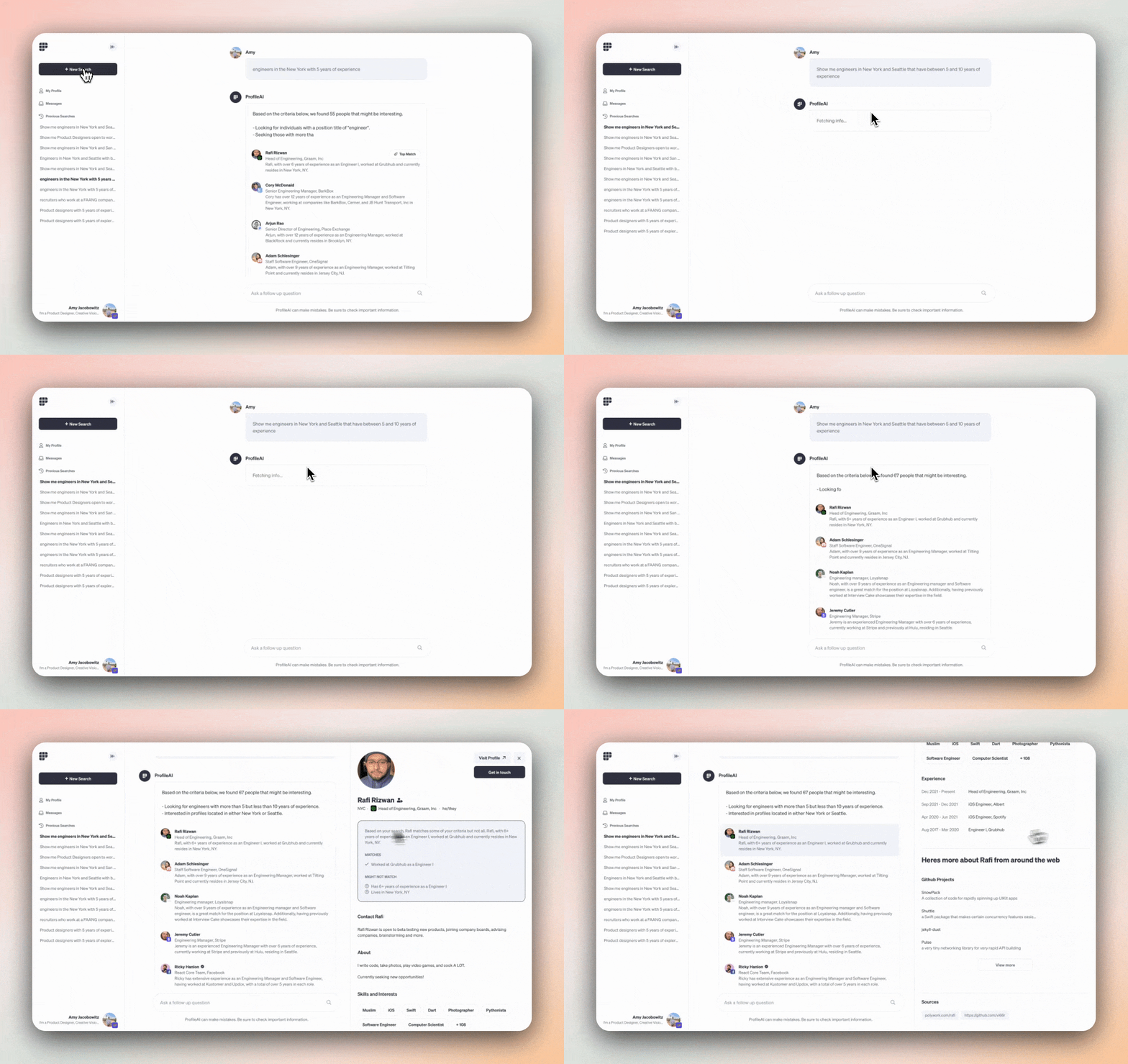
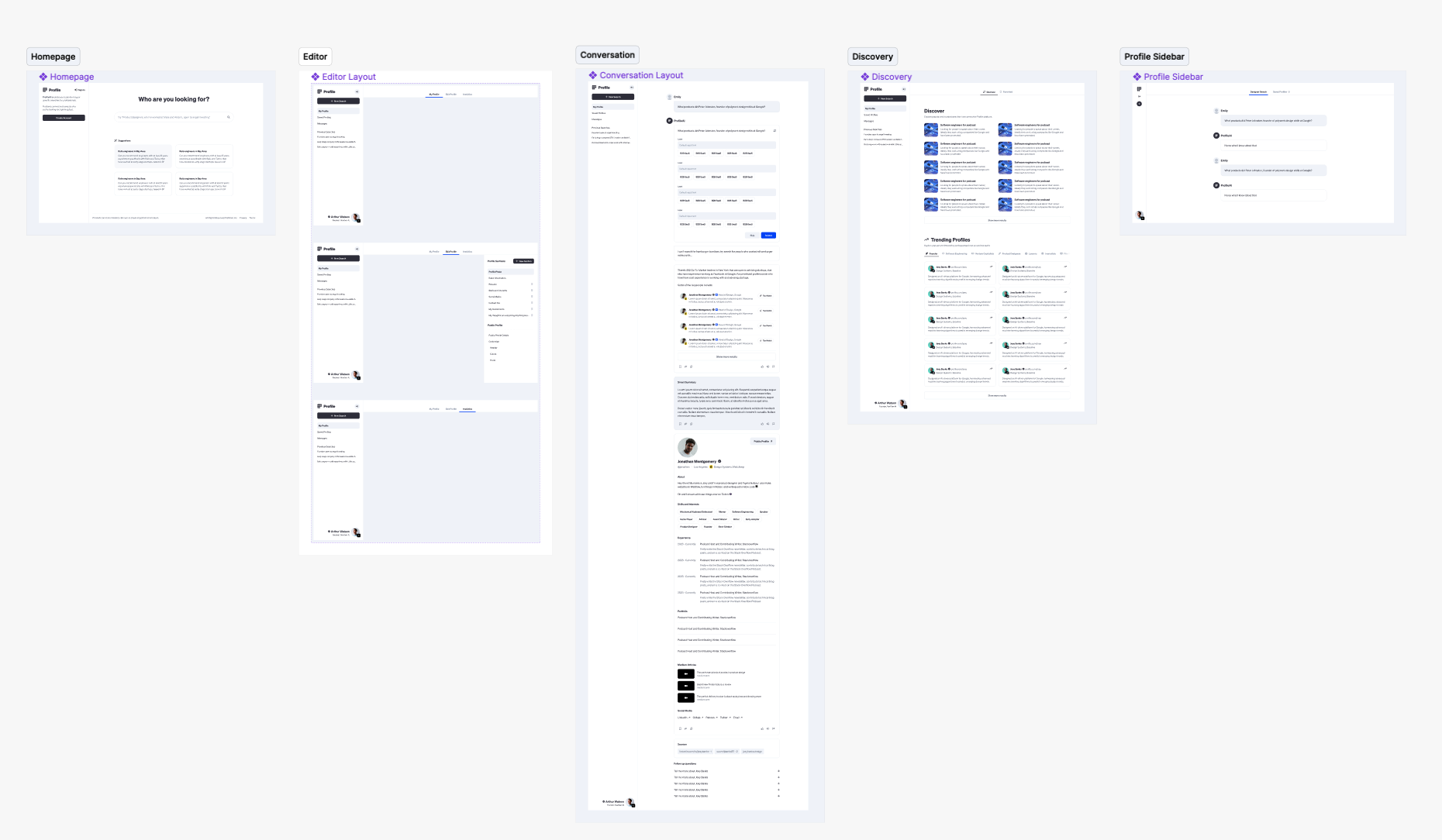
Such a drastic change in such a short amount of time required us to do quick but thorough user research. I conducted over 200 interviews with recruiters to get an understanding of how we could be a real value-add to their workflow. We then set about designing Profile AI from the ground up to be the best recruiting tool possible. I started with a flexible and minimalistic style guide that could grow with our needs.
The most valuable thing those interviews produced was a correction. We went in assuming recruiters wanted better search, and what they actually described was drowning in candidates they could not qualify quickly. The bottleneck was not finding people, it was deciding who was worth an outreach message. That reframing changed the product: instead of optimizing for result count, we optimized for how fast a recruiter could build confidence in a single candidate, which is why so much of the interface is given over to evidence rather than filters.
I kept the visual language deliberately restrained for the same reason. Recruiters live in this tool for hours at a time alongside their ATS and inbox, so a design that is opinionated or decorative becomes exhausting. A minimal system also let us move quickly, since the product direction was still shifting underneath us and I needed components that could be recomposed rather than redesigned every time the strategy sharpened.
Mobile
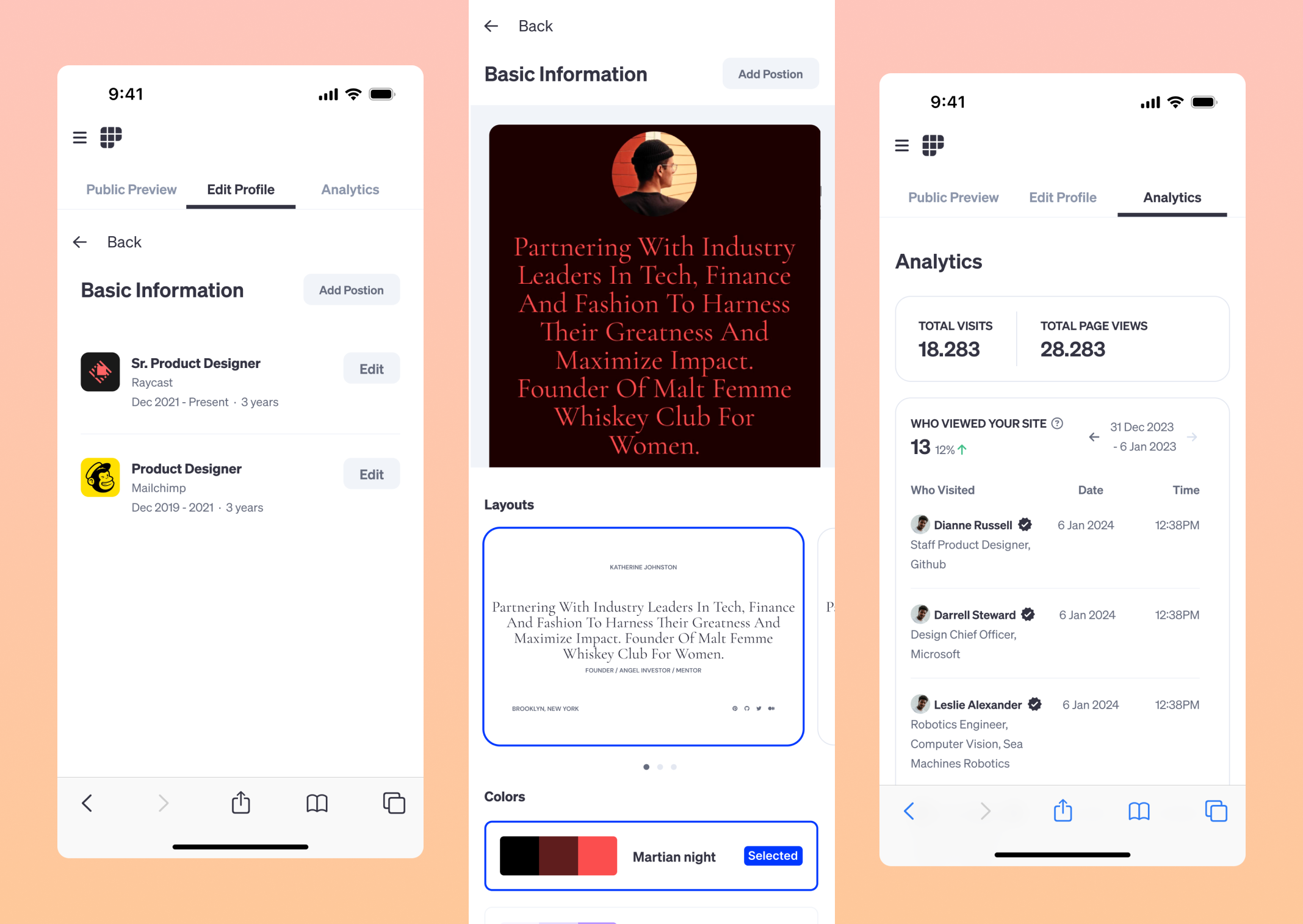
Many recruiters use their phones for sourcing and outreach, so it was imperative that not only did we have an amazing desktop experience, but a stellar mobile experience as well.
This came directly out of the research. Recruiters repeatedly described reviewing candidates in gaps in their day, between meetings, commuting, or in the evening, and then doing the actual outreach later at a desk. So rather than compressing the desktop tool onto a smaller screen, I designed mobile around triage: surface enough evidence to make a keep or pass decision, let them shortlist quickly, and pick the work back up on desktop. Treating the two as one workflow across devices rather than two separate products was the decision that made mobile genuinely useful instead of a checkbox.